 MDWebView
SAP on Android warehouse scanners and tablets
The Fiori launchpad, SAPUI5 apps and ITSmobile transactions are web pages. MDWebView Enterprise shows them full screen on a scanner or tablet, with company certificates and barcodes going straight into the field.
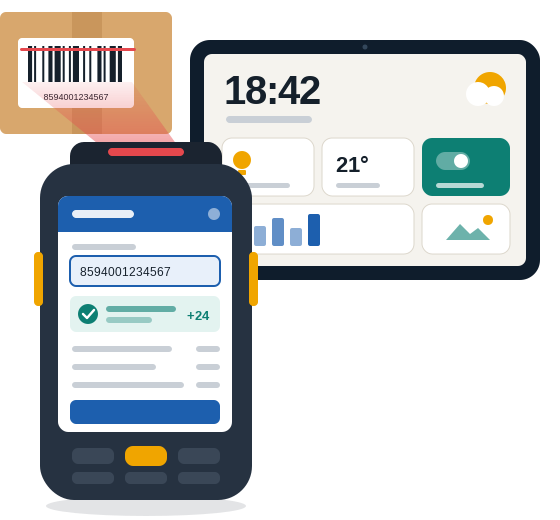
Barcodes straight into SAPUI5 fields
A code from the hardware scanner is written into the focused field through the native value setter, so the SAPUI5 model updates as if someone had typed it. Enter can follow the code. If the app handles Enter itself, MDWebView does not submit the form a second time.
Zebra scanners work without any setup. For other manufacturers, switch the scanner output to an intent.
Company certificates and sign-in
Internal SAP servers often use a certificate from a company CA. MDWebView trusts certificates that your MDM installs on the device and can import a full chain from a PEM file. For servers with an untrusted certificate you choose whether to reject it, accept it only for listed servers, or ask once and remember the fingerprint.
- HTTP Basic, NTLM and Digest sign-in, with the remembered password encrypted on the device
- Client certificates from the Android key store, for example for certificate sign-in
- Pop-up windows for single sign-on (SSO)
- Proxy with a bypass list
Sessions and shared scanners
When an SAP session expires, the Back button does not take the user to an address with a dead session ID. The app loads the base address of the system instead. You decide which HTTP codes and URLs count as an expired session.
On scanners that change hands between shifts, the idle reset with sign-out returns the app to the start page, so the next worker never starts inside someone else's session.
Moving from Windows CE devices
ITSmobile transactions run on the SAP server, so moving to Android only changes the client. Test transactions that rely on the F1 to F12 function keys first. Touch devices often lack them as physical keys, and those functions then need buttons on the screen.
Warehouses without internet
The scanner only needs to reach SAP on your internal network over Wi-Fi. Certificate checks, MDM settings and hardware scanners work with no internet connection.
Chemical distributor: SAP on about 300 Zebra scanners
At a chemical distributor's warehouse, MDWebView Enterprise runs on about 300 Zebra MC9400 mobile computers, and the warehouse staff use it to work in SAP.
Frequently asked questions
Does it work with the Fiori launchpad?
Yes. The launchpad is a web page; set its address as the app's start page, for example from your MDM.
Is MDWebView an SAP-certified solution?
No. MDWebView is not an SAP product or a certified add-on. It shows SAP web apps the way a browser does and adds kiosk mode, scanner support and MDM management.
Do you support SAP EWM and the older SAP WM?
The app does not depend on the module. It works with anything that has a web interface: Fiori apps for EWM, your own SAPUI5 apps and ITSmobile for WM.
How does a company certificate get into the app?
Ideally through your MDM into the system store, which the app trusts. You can also send it inside the configuration or load it from a file.
Can we try Enterprise before buying?
Yes. On request we send a 30-day trial. Tell us which devices and which system you want to test it with.
Tell us about your warehouse
How many devices, which models and which system they should run. We will reply with a quote and a rollout plan.