 MDWebView
A kiosk app for warehouses, production and reception desks
A separate app for companies under a license agreement. No ads and no ad libraries. Configure it through MDM, connect it to hardware scanners and lock the device as its owner.
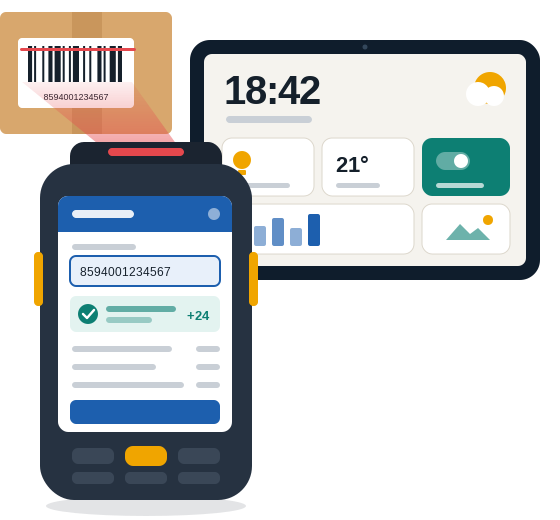
Chemical distributor: SAP on about 300 Zebra scanners
At a chemical distributor's warehouse, MDWebView Enterprise runs on about 300 Zebra MC9400 mobile computers, and the warehouse staff use it to work in SAP.
Configuration through MDM
Every option in the settings has its own MDM key. Send them from Microsoft Intune, Workspace ONE, SOTI MobiControl, Samsung Knox or the Google console. Values that come from MDM are locked in the app and users cannot change them. When you change a value in MDM, the app picks it up immediately, without a restart.
The settings PIN can come from MDM too; the device stores only its hash. Company certificates can be sent along with the configuration and the app adds them to its trusted list.
- Microsoft Intune
- Workspace ONE
- SOTI MobiControl
- Samsung Knox
- Google Android Enterprise
Sample Intune configuration (JSON)
// Intune › Apps › App configuration policies › Android Enterprise
{
  "kind": "androidenterprise#managedConfiguration",
  "productId": "app:com.mdoom.webview.enterprise",
  "managedProperty": [
    { "key": "saved_url", "valueString": "https://sap.company.local/…" },
    { "key": "lock_task_mode", "valueBool": true },
    { "key": "idle_reset_minutes", "valueInteger": 15 },
    { "key": "scanner_type", "valueString": "ZEBRA_DATAWEDGE" },
    { "key": "scan_send_enter", "valueBool": true }
  ]
}
Hardware scanners
The code goes into the focused field and fires the events that SAPUI5, Angular and React listen for. The app can then press Enter. The page also gets an mdwebview:scan event with the value and the symbology.
| Vendor | What to set on the device |
|---|---|
| Zebra | Nothing. The app creates its own MDWebView profile in DataWedge. |
| Honeywell | Scanner output as Data Intent. |
| Datalogic | Intent Wedge on, default action. |
| Newland | Broadcast output. |
| Urovo | Intent output. |
| Other | Custom action and extra name in the app settings. |
Kiosk as device owner
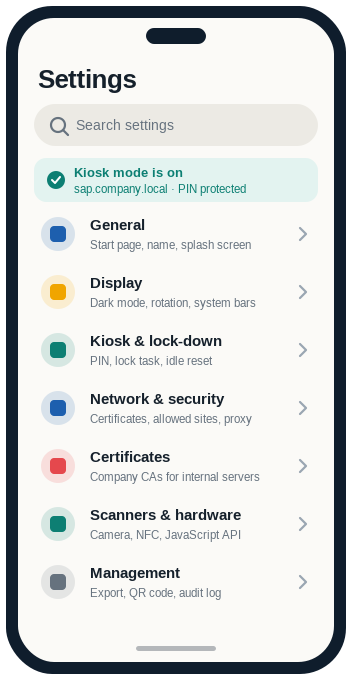
When MDWebView is the device owner, locking the device needs no confirmation from the user. It is the only allowed app and acts as the home screen. It can disable the status bar and the lock screen, and it starts by itself when the device boots. While lock-down is on, the device cannot be factory reset or booted into safe mode.
Set the device owner with ADB, or with a QR code on first start after a factory reset. If another MDM already manages the device, set up the kiosk there and just turn on lock task in the app.
- After a crash the app restarts itself, up to three times in five minutes
- If only the page renderer crashes, the WebView is rebuilt and the app keeps running
- A network outage shows a clear screen, and the page reloads once the network is back
Warehouses without internet
- The app only needs a connection to your application's server, not to the internet
- Android keeps MDM settings on the device and they apply offline; changes arrive at the next connection
- Without MDM, load the settings from a file or a QR code with no network at all
- Hardware scanners and certificate checks work without a connection
- Camera scanning needs a Google Play services module. The app downloads it on first start, so turn each device on once on a network with internet access

JavaScript API for your web app
Through window.MDWebView your web app can start a camera scan, send a ZPL label to a network printer, beep, vibrate or read the battery level. Commands that touch hardware or the network work only for the addresses you allow.
Rollout without MDM
Set up one device, export its configuration to a file or a QR code, and load it on the others. The file can be encrypted with a passphrase and also carries the certificates and the PIN hash. A QR code carries the settings only.
Example
// code from a hardware scanner
window.addEventListener('mdwebview:scan', e => {
  console.log(e.detail.data, e.detail.symbology);
});

// camera scan
const { data } = await MDWebView.scanBarcode();

// label to a Zebra network printer
await MDWebView.printRaw('10.0.0.50', 9100, '^XA^FO50,50^ADN,36,20^FD' + data + '^FS^XZ');
MDWebView.beep();
Allowed sites
A list of domains, IP ranges and ports. A link elsewhere is blocked or opened in another app, as you choose.
Audit log
Settings changes, admin logins, certificate decisions and app crashes. The log can be exported.
Diagnostics
Tests DNS, the connection, the full certificate chain and the server response right on the device.
By device and system
Zebra devices
Your web app on Zebra mobile computers, DataWedge without a manual profile, locked to one app.
SAP on scanners
Fiori, SAPUI5 and ITSmobile on warehouse scanners, with company certificates and scanning into the field.
WMS on scanners
Your web-based warehouse system on Zebra, Honeywell, Datalogic, Newland and Urovo scanners.
How buying works
Licenses are counted per device. Tell us how many devices you have, which models, and which system they should connect to. Before you decide, you can try Enterprise for 30 days on your own devices. Then we send a quote and a license agreement, and you get the app in your organisation's managed Google Play or as an APK for your MDM.
Send us a few lines about your rollout
Number of devices, models, the system and your MDM if you use one. We will get back to you with a quote.